
Parent Guide
Welcome to MySDH, the parent application designed to help you stay connected with your child's learning journey.
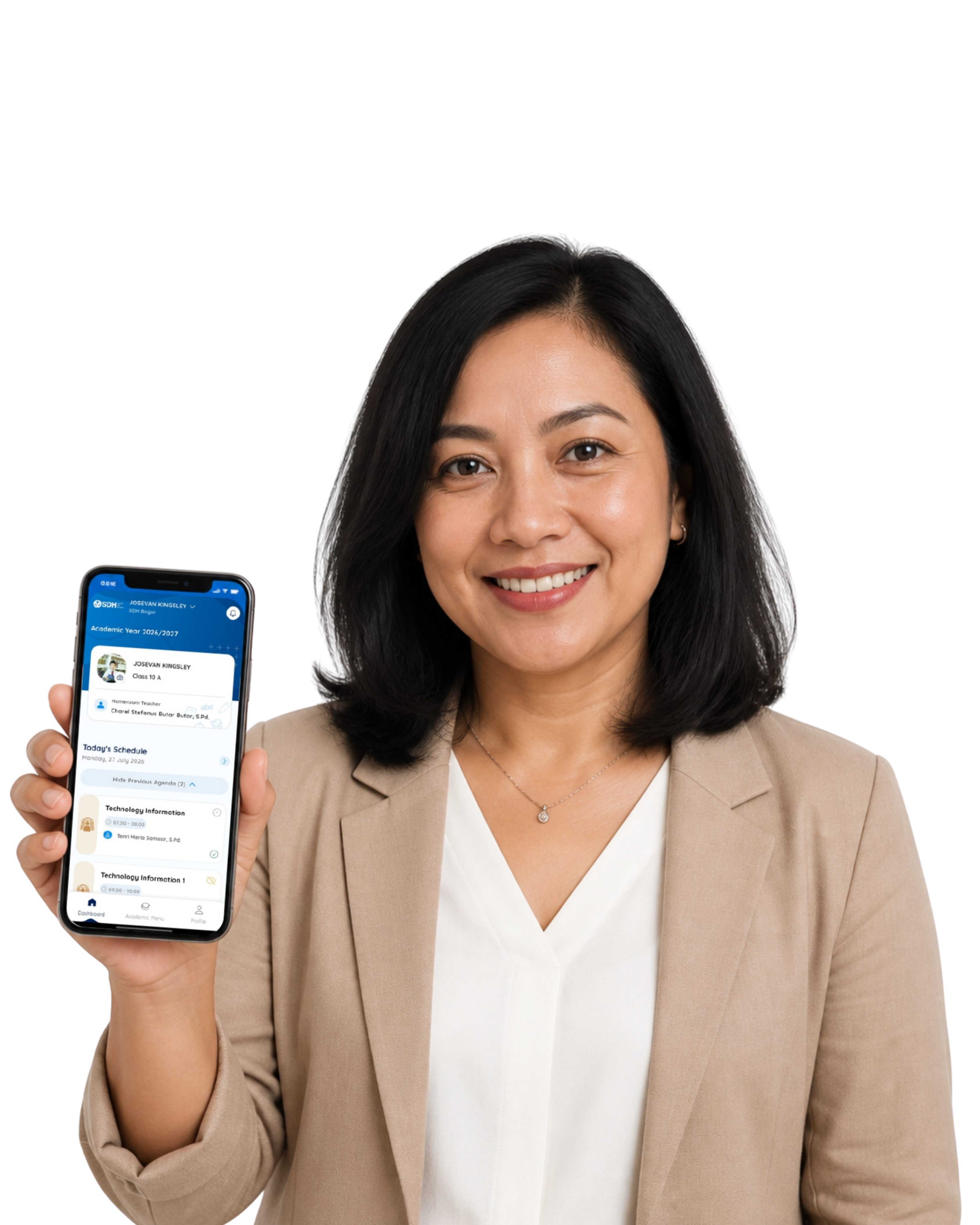
Through this application, you can:
- Stay informed about daily school activities.
- View your child's learning updates.
- Monitor upcoming assignments and reminders.
- Access your child's profile.
- Switch between children if you have more than one enrolled at SDH.
Getting Started
Sign in
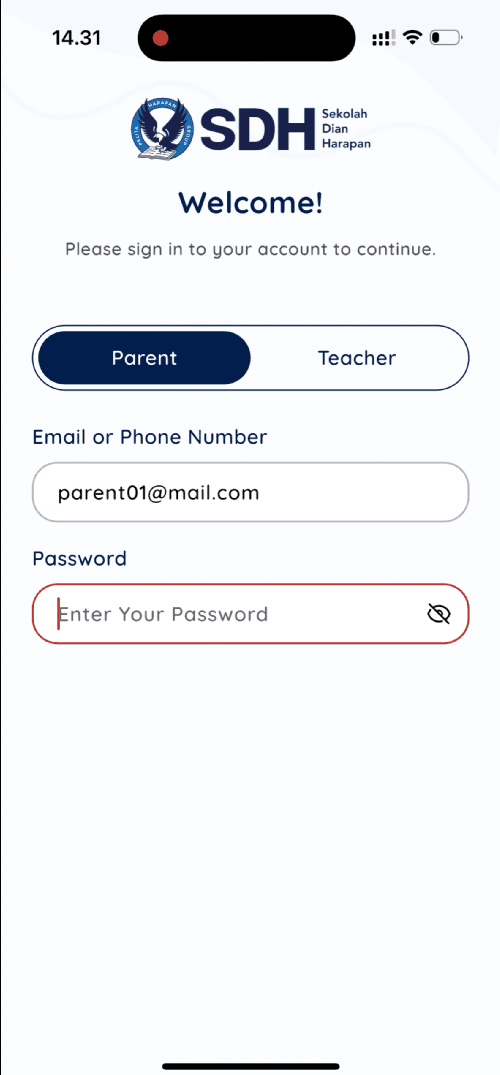
Sign in using the account provided by your school.
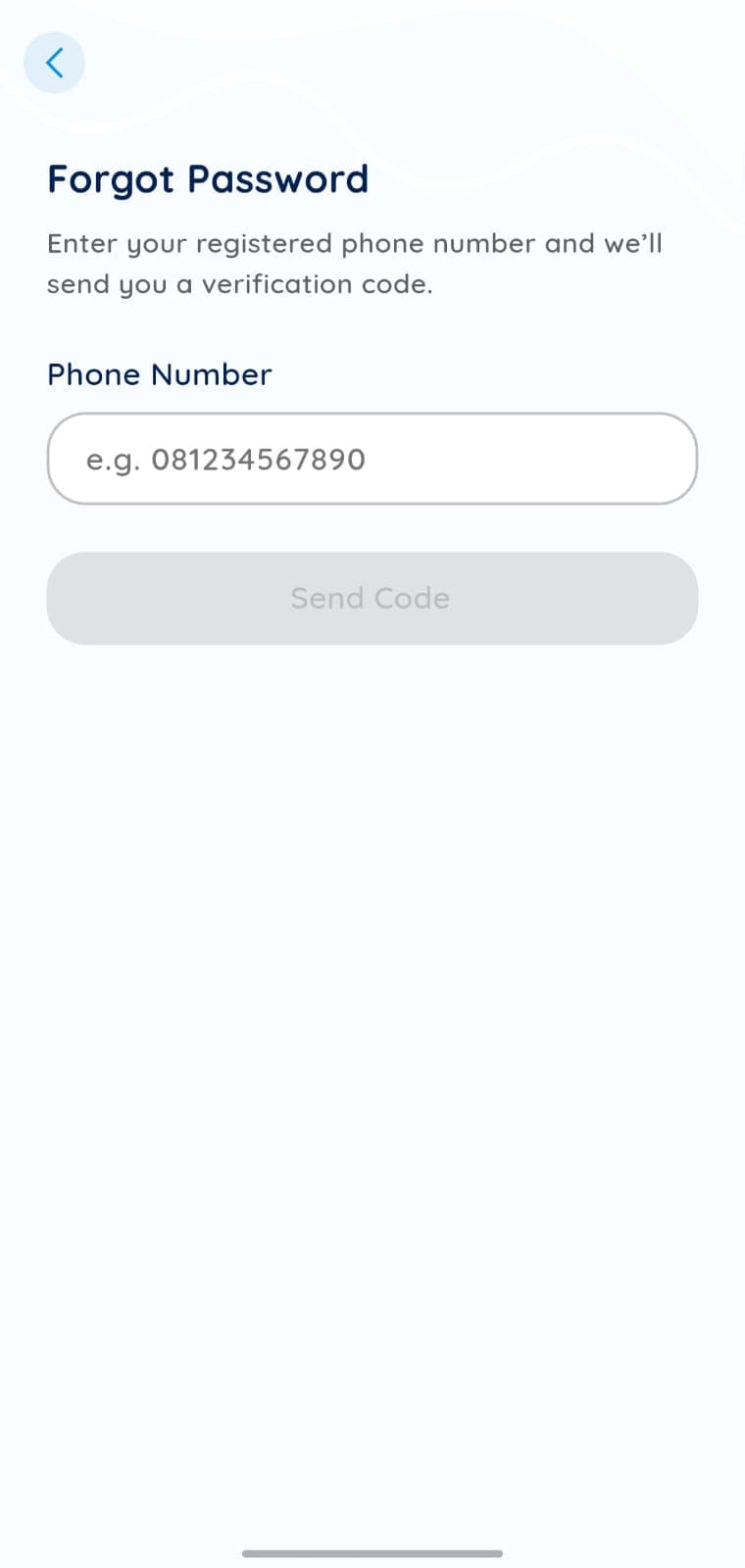
Forgot Password
Reset your password securely if you are unable to access your account.
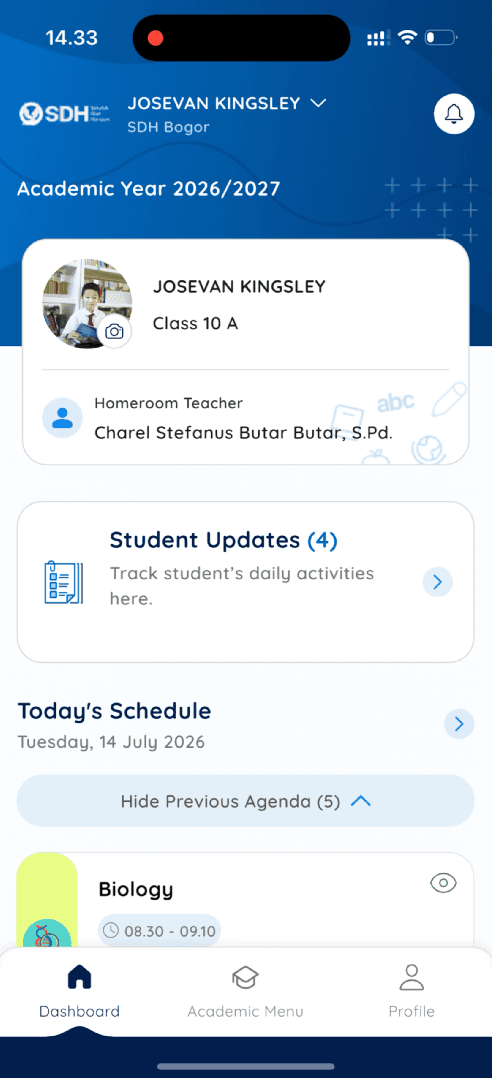
Dashboard
View all important information from one central dashboard.
Parents Features
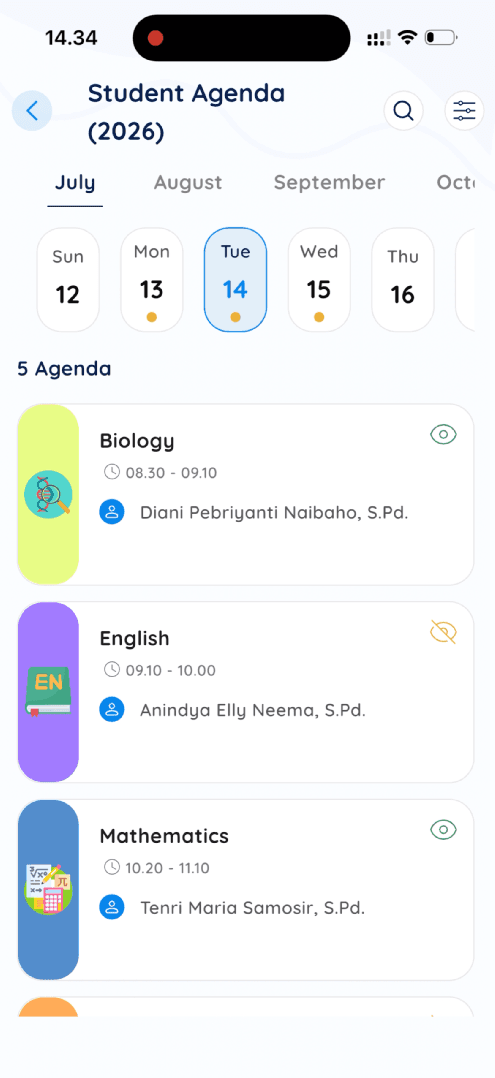
Agenda
Stay one step ahead in your child's learning journey. Agenda gives you a clear view of upcoming classroom activities, school events, and important reminders, helping you prepare, encourage, and support your child every day.
Whether it's a classroom activity, an assessment, or a school event, Agenda helps ensure you never miss an important moment.
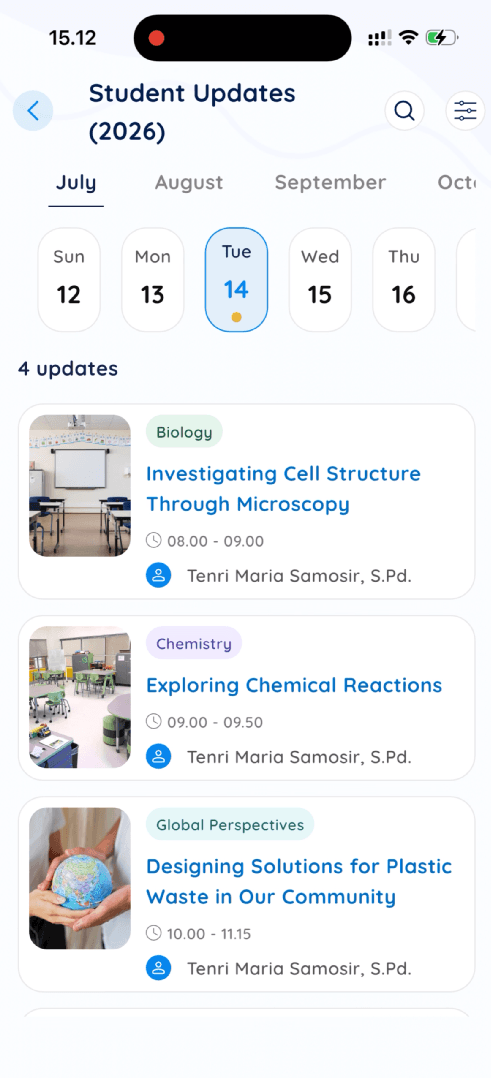
Student Update
Celebrate every learning moment with your child. Student Update allows you to follow classroom experiences through photos and meaningful stories, giving you a closer look at what your child is learning and accomplishing each day.
It's more than just pictures—it's a window into your child's growth, creativity, and learning journey at school.
To get the most out of MySDH:
- Check Today's Student Agenda regularly to stay informed about your child's learning.
- Review Student Updates to follow your child's learning experiences.
- Keep your contact information up to date.
- Keep your login credentials secure.
- Update the app whenever a new version is available.
Download MySDH today and stay informed about your child's learning journey, classroom activities, and important school updates—all in one place.
Compatible with Android and iOS


Frequently Asked Questions
Use the username and password provided by your school. Open the MySDH app, enter your account details, and tap Sign In. If you have not received your account, please contact your child's school.
Tap Forgot Password on the login page and follow the instructions to reset your password. If you are unable to reset it, please contact your school's administrator for assistance.
Yes. If you have more than one child enrolled in the school, all linked student accounts can be accessed from the same parent account, provided they have been connected by the school.
Yes. MySDH can send notifications for new Agenda items, Student Updates, and other important announcements. Make sure notifications are enabled in your device settings.
Yes. You may sign in using your account on another supported device. Simply download the app and log in with the same credentials.
Yes. MySDH is designed to protect student information. Only authorized users can access student-related content according to the permissions assigned by the school.
Teachers share learning updates based on classroom activities and school schedules. The frequency of updates may vary depending on the learning program and classroom events.
Please contact your school's administrator or IT support if you experience login issues or need technical assistance.